How to Start a Website Agency With AI: A Step-by-Step Plan
 By Ryan Shaw. Published . 8 min read.
Key takeaways
- An AI website agency is five jobs: find, check, build, email, hand over. AI speeds up the build and the first draft of the email. You still choose, check and decide.
- Start with one kind of business in one area. A narrow list is easier to check and easier to write to.
- Build every sample from the business's own facts and photos. Never let the AI invent reviews, prices or services.
- Follow CAN-SPAM on every cold email: a real name, a postal address and a way to opt out.
- Nobody can promise replies or sales. Plan for a lot of silence and a few conversations.
On this page
- What an AI website agency actually does
- Step 1: Pick one kind of business and one area
- Step 2: Find businesses whose website is holding them back
- Step 3: Check the business, not only the site
- Step 4: Let your AI build a sample from real facts
- Step 5: Send one short, honest email
- Step 6: When an owner says yes
- What to set up before your first email
- Where SiteRevive fits
- The honest limits
- A simple first week
- Questions people ask
Here is how to start a website agency with AI: pick one kind of local business, find the ones whose websites are old or broken, let your AI build each one a sample site from its own facts, and send the owner one short, honest email with the link. When an owner says yes, you move the site to their domain and keep it running. AI does the slow parts, the page files and the first draft of the email. You do the parts that need judgment: who to contact, what is true, and what to say.
I ran a marketing agency for 15 years and worked with 100+ agency clients. The plan below is the simplest version of that work I know. It is my opinion of a sensible order, not a promise of results.
What an AI website agency actually does
Strip away the hype and the job has five parts. Each one has a clear owner.
| Step | What happens | Who does it | Typical tool |
|---|---|---|---|
| Find | List local businesses with old or missing websites | You, or a lead tool | Google Maps, SiteRevive |
| Check | Confirm the problems are real and the business is open | You | A phone, a browser, the Google listing |
| Build | Make a one-page sample site from the business's own facts | Your AI | Claude, ChatGPT, Codex |
| Send the owner a short note with the link | Your AI drafts, you approve | Your own Gmail or Outlook | |
| Hand over | Move the site to the owner's domain and keep it updated | You | A host and a registrar |
The AI part sits in the middle. That is the change from a few years ago. A sample site used to take a designer a day. Now an AI agent can draft one in minutes. The finding, checking and talking still decide whether anything comes of it.
Step 1: Pick one kind of business and one area
Do not start with "all local businesses." Pick one trade, like roofers or Greek restaurants, and one state or city.
A narrow list helps in three ways. Your emails get sharper, because you learn what that trade's customers look for. Your samples improve, because you see the same page needs again and again. And you can check each business properly, because the list is short.
Good first trades share a few traits. Customers find them on their phones. A call or a booking is worth a lot to them. And many still run on an old site or no site. For help choosing, see how to choose a web design niche for local businesses.
Step 2: Find businesses whose website is holding them back
You want businesses that are busy but have a weak site. Good reviews with a bad website is the classic sign.
Three problems are easy to spot and easy to explain to an owner:
- The site does not fit a phone. Google says it uses the mobile version of a site's content for indexing and ranking.
- The browser marks it "Not secure." Chrome has labeled every HTTP page that way since Chrome 68 in July 2018.
- The footer shows a copyright year from years ago. This is a hint, not proof, but it often goes with old phone numbers and old hours.
Our 10-minute outdated website checklist walks through each check by hand.
What does a real list look like? In our own New Jersey searches (SiteRevive data, October 2026), we found 637 businesses and looked closely at the 100 the app ranked highest. 23 of those 100 had no website at all. Of the 37 the app marked ready, 25 had a footer year that was out of date. Their Google ratings had a median of 4.9 stars, so these were well-reviewed businesses with neglected sites. The full breakdown is in what we found when we checked New Jersey business websites.
Step 3: Check the business, not only the site
A broken site on a closed shop is useless to you. Before you build anything, open the Google listing and look for:
- Reviews from the last few months
- Hours that look current
- A phone number that matches the website
- An email address on the business's own site
Never guess an email address. If the business does not publish one, phone them or send a letter instead. And confirm you have the right business before you write. Two shops with similar names in the same town is more common than you would think. Our guide on confirming the right business before you pitch covers the checks.
Step 4: Let your AI build a sample from real facts
This is where AI earns its place. Give your AI the business's name, town, services, phone, hours, rating and the problems you found. Ask for a one-page site that fits a phone, loads fast and makes calling easy.
Three rules keep the sample honest:
- Every fact comes from the business's own site or its Google listing. No invented services, prices, awards or review quotes.
- Use the business's own photos where they exist. A sample with the owner's real dining room or real roof work feels like theirs. Our post on real photos vs AI images on small business websites explains why.
- Keep the sample out of search engines. Add a noindex rule so a page about a business that never asked for it does not show up in Google.
Which AI should do the build? Any agent that can browse the web, write files and send or draft email will work. Claude is the one SiteRevive tests with. In one of our own runs this month (SiteRevive data, October 2026), Codex worked through 33 New Jersey businesses from a single prompt. It finished 30 sample sites and 30 email drafts and skipped 3 whose websites would not load. It sent nothing, because the run was set to drafts only. For a side-by-side view, read ChatGPT, Claude or Codex for building client websites.
Read every sample before it goes anywhere. AI makes confident mistakes. A wrong phone number on a sample is worse than no sample.
Step 5: Send one short, honest email
The email has one job: get the owner to look at the sample. Keep it under about 80 words. Name one real problem you saw, link the sample, and ask a simple question.
What it must never do:
- Claim the old site is "costing them thousands." You do not know that.
- Promise rankings, calls or sales.
- Pretend to be a customer or a local neighbor if you are not.
In the U.S., cold email to a business is legal when you follow CAN-SPAM. The FTC's guide asks for accurate sender details, an honest subject line, a valid postal address and a clear way to opt out. Opt-outs must be honored within 10 business days. The FTC also notes the law has no exception for business-to-business email. Our plain-English guide is is cold email legal for web designers.
For example emails you can adapt, see the cold email that offers a finished website.
Step 6: When an owner says yes
A yes is the start of the real work. You need to:
- Agree the price and what is included, in writing. See website contract basics.
- Collect what the sample guessed at: their logo, service list, photos they prefer.
- Move the site to a domain the owner controls. Our guide on how to hand over a website to a client covers domain and hosting.
- Offer a small monthly plan for updates and hosting. See what to include in a monthly website care plan.
On price, I will not hand you a number. Local rates vary too much. Our guide on starting a web design business with no experience shows how to set a fair price from your own costs and local rates.
What to set up before your first email
You do not need much. You do need these:
| Item | Why | Notes |
|---|---|---|
| Your own email account | Owners reply to a person | Gmail, Google Workspace or any other |
| A postal address | CAN-SPAM requires one | A registered PO box or private mailbox works |
| A short page about you | Owners look you up | Your name, your photo, how to reach you |
| A spreadsheet or tracker | Know who you wrote to and who said stop | Record every opt-out the day it arrives |
| A host for live sites | Where client sites will run | Pick one before the first yes |
Our list of the tools a one-person website agency needs goes through each choice, with free options first.
Where SiteRevive fits
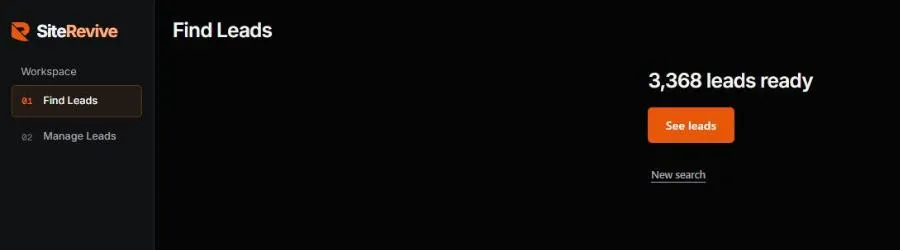
SiteRevive does the finding and checking in bulk. You pick a kind of business and a U.S. state, with a city if you like, and ask for 1 to 25 leads. It finds local businesses, checks each website and writes down the real problems. It keeps an email only if it finds one on the business's own website. It never guesses one.
Then you tick the leads you want in Manage Leads and press Copy prompt. You paste that into your own AI. Your AI builds the sample sites and writes the emails, which go from your own email account or wait as drafts. SiteRevive's servers never send email. It does not promise replies, calls or sales.
Plans start at $97 a month, with a 7-day money-back guarantee, no questions asked. Details are on the SiteRevive pricing page.
You can do every step in this post by hand, for free. SiteRevive only saves you the searching and checking.
The honest limits
Before you start, know what this business is like:
- Most owners will not reply. Silence is normal. It says little about you.
- Some owners like their old site. Respect a no and stop.
- AI output needs checking every time. Budget time to read each sample.
- A sample is not a finished site. Real clients want changes, and you need a way to handle them. See handling website revision requests.
- The rules on email are real. Keep a do-not-contact list and follow it.
A simple first week
This is the order I would follow. It is a suggestion, not a schedule you must hit.
| Day | Task |
|---|---|
| 1 | Pick one trade and one area. Set up your email, address and a short about page. |
| 2 | Build a list of 10 to 25 businesses. Run the checks by hand or with a tool. |
| 3 | Confirm each business is open and the email is on its own site. Cut the doubtful ones. |
| 4 | Have your AI build samples for the 5 best. Read each one line by line. |
| 5 | Send 5 short emails from your own account. Log each one. |
| 6 | Reply to anyone who wrote back. Add opt-outs to your list. |
| 7 | Review what you learned. Fix your email and your sample prompt. |
If you want the selling side in more depth, read how to sell websites to local businesses. Then start small, stay honest, and let the AI do the typing.
More on the steps above: is a free sample site spec work, and the rules that keep it fair, how to sell a website to a restaurant owner, and how to reach a business with no email address.
Questions people ask
Can I start a website agency with AI and no coding?
Yes. An AI agent can write the page files for a simple local business site. You still need to read the result, check every fact against the business's own listing, and learn how to move a site to a client's domain when they say yes.
Which AI should I use to build client websites?
Any AI agent that can browse the web, write files and use email can do the build. Claude is the one SiteRevive tests with. Our comparison of ChatGPT, Claude and Codex covers the tradeoffs.
Do I need a business address to send cold emails?
Yes, in the U.S. The FTC's CAN-SPAM guide says each commercial email needs a valid physical postal address. A registered post office box or private mailbox counts.
How many businesses should I contact in my first week?
In my opinion, start small: one trade, one area, and as many emails as you can check by hand. Quality of each sample and email matters more than volume while you learn.
Will an AI website agency make money?
Nobody can promise that. Results depend on your market, your offer and your follow-through. Many owners will not reply. Treat it as a business you test, not a sure thing.
Sources
- FTC: CAN-SPAM Act, A Compliance Guide for Business, read October 21, 2026.
- Google Search Central: Mobile-first indexing best practices, read October 21, 2026.
- Chromium Blog: A secure web is here to stay (Feb 8, 2018), read October 21, 2026.
- Google Search Central: Block search indexing with noindex, read October 21, 2026.
Ryan Shaw
Ryan Shaw makes SiteRevive. He ran a marketing agency for 15 years and worked with 100+ agency clients. He has generated $100M+ in online sales, most of it through agency clients, and has helped 15,000+ marketers with software, courses and coaching.
Earnings disclaimer. SiteRevive and this article do not promise income, sales or replies. What you earn, if anything, depends on your work, your market and your offer. Results vary and some people earn nothing.