How to Sell a Website to a Restaurant Owner: A Sample-First Plan
 By Ryan Shaw. Published . 5 min read.
Key takeaways
- Sell the phone view, not the website. Show the owner what a hungry customer sees on a phone: menu, hours, call button.
- Restaurant sites most often fail in small ways: a menu in a PDF, no tap-to-call link, an old footer, no secure connection.
- Build a sample from the restaurant's own facts and photos before you write. A sample answers most of the objections in advance.
- Do not call or visit during a meal rush. Send the email, then follow up once at a quiet time.
- Know the honest answers to 'I have Facebook' and 'I use the delivery apps'. Both are partly true.
On this page
To sell a website to a restaurant owner, build a sample from the restaurant's own menu, hours and photos, and show the owner what a hungry customer sees on a phone. Do not start with search rankings or design talk. Start with three questions a customer asks: can I read the menu, can I see the hours, and can I call with one tap?
This plan comes from a real build. In October 2026 we made a sample site for a New Jersey restaurant from its public website, as a pitch (SiteRevive data, October 2026, name hidden). Below is what we found, what we built, and how I would approach the owner. The rest is my opinion after running a marketing agency for 15 years and working with 100+ agency clients. Nobody can promise a restaurant will say yes.
Why restaurants are a good first trade
A restaurant is easy to judge from the outside. You can see the menu, the photos, the hours and the phone number in two minutes. Customers find restaurants on their phones, often while hungry and in a hurry. A good phone page is worth a lot, and a bad one is easy to spot.
It is also a hard trade. Owners are busy at meal times and wary of new costs. Many figure a Facebook page and a delivery app are enough. Plan for that, and do not treat it as stubbornness.
If you are still choosing a trade, read how to choose a web design niche for local businesses.
What we found on one restaurant's site
The old site opened, so it was not broken. But here is what a customer met on a phone (SiteRevive data, October 2026):
| What we found | Why it matters to a customer |
|---|---|
| The menu was PDF files, not text on the page | PDFs need pinching and zooming on a phone |
| No phone number was a tap-to-call link | The easiest action, calling, took extra steps |
| The secure version of the site did not load; only plain http did | Chrome has marked plain http pages "not secure" since 2018 |
| The footer showed a copyright year of 2016 | A hint that nobody has opened the site in a while |
| Good food photos were spread across the home, menu and story pages, mixed with stock-looking banners | The best sales tool was hard to see as a set |
On the Chrome point, Google announced on the Chromium Blog that Chrome 68 would mark every plain http page as not secure. A footer year alone proves nothing. Together, these five points tell a clear story that an owner can check in a minute.
What we built
We made a one-page sample from the restaurant's own public facts:
- The menu as plain text on the page, with items and prices as the restaurant had published them. We changed no price.
- Hours near the top. We kept the closed days and the holiday closure the restaurant listed.
- A call button at the top, in the middle and at the bottom of the page, plus a sticky call bar on phones.
- The address with a directions link.
- The restaurant's own order links, kept as they were.
- Real photos from the restaurant's own website. We saved 14, resized each to at most 1600 pixels wide, and the page uses 12 of them. We left out catering tray photos and stock-looking banner images, since they did not show the real place.
Every photo came from the restaurant, and we noted where. We added a noindex rule so the sample stays out of search, and the footer says it is a free preview and not the official site. More on why we do it that way in real photos vs AI images.
The sample was never published, and no email went out. It was a pitch asset.
What a restaurant needs on the first screen
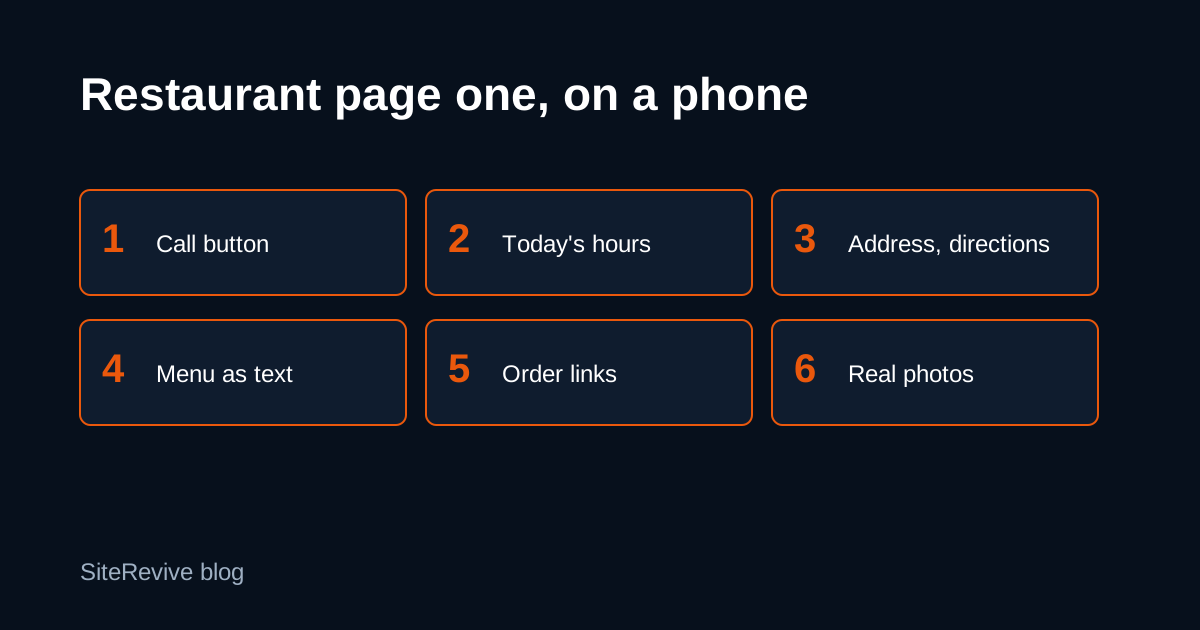
Aim for these six on a phone, in this order:
- A call button
- Today's hours and any closed days
- The address, with a directions link
- The menu as text, with a way to jump to sections
- Order links, if the restaurant takes orders
- A few real photos of food and the room
Our guide to what goes on a small business homepage covers the general version.
How I would approach the owner
Email first. Restaurants are busiest at meal times, so a call at noon or six lands badly. In my opinion, send the email in the quiet part of the afternoon and follow up once, by phone or in person, at a slow hour. Keep it short:
Subject: [Restaurant] on a phone

Hi [Name],

On my phone, your menu opens as a PDF I have to pinch to read, and
the phone number is not a button.

I built a free sample with a text menu, your hours at the top and a
call button. Here it is: [link]

If you like it, I can put it live for you. If not, no hard feelings.

[Your name]
[Your business, postal address]
Use only a problem you saw yourself. Add the opt-out line and your postal address as the FTC's CAN-SPAM guide requires. The cold email example post has more wording. Never guess an email address. If the restaurant does not publish one, call at a quiet hour or drop off a short printed note.
When the owner replies
Be ready for these. The honest answers matter more than clever ones.
| What they say | A fair answer |
|---|---|
| "I have Facebook." | "It helps. A page you control can show the menu as text and put a call button first, which a social page does not do well." |
| "I use the delivery apps." | "They send you orders and they also take a cut. Your own page can still link to them and give regulars a direct way to call." |
| "I don't have time." | "I'll do the work. I only need you to look at the sample and tell me what is wrong." |
| "How much?" | Have your price ready, written down, before you send the email. |
| "Not interested." | "Thanks. I'll take the sample down." Then do it, and stop writing to them. |
The guide to first sales calls with local businesses and the list of common objections from business owners go deeper. On the Facebook question in particular, see Facebook page vs website for a local business.
After the yes
Agree what is included in writing. Get their logo, menu and photo choices. Move the site to a domain they control. Then offer a small monthly plan for menu changes and hosting, because restaurant menus and hours change often. Our guide to starting a website agency with AI walks through the whole job.
Where SiteRevive fits
SiteRevive finds local businesses by kind and state, checks each business website and writes down the real problems. You tick the leads you want and press Copy prompt. Your own AI builds the sample sites and drafts the emails. SiteRevive does not promise replies, calls or sales.
Plans start at $97 a month, with a 7-day money-back guarantee, no questions asked. Details are on the SiteRevive pricing page.
Questions people ask
How do you pitch a website to a restaurant owner?
Send one short email with a link to a sample built from their own menu, hours and photos. Name one real problem you saw on a phone. Keep it under about 80 words and ask if they would like to see it live.
What should be on a restaurant website's first screen?
On a phone: a call button, today's hours, the address with a directions link, the menu as plain text, order links if they take orders, and a few real photos of their food and room.
What do you say when a restaurant owner says they have Facebook?
Agree that Facebook is useful. Then point out what a page you control can do that a social page does not: a menu that opens as text, a tap-to-call button, and hours that show at the top without scrolling.
Should a restaurant menu be a PDF?
Avoid it as the only menu. A PDF often needs pinching and zooming on a phone and is hard for search sites to read. Put the menu on the page as text. You can still link a PDF for printing.
Sources
- A secure web is here to stay, Chromium Blog (February 8, 2018), read October 21, 2026.
- CAN-SPAM Act: A Compliance Guide for Business (FTC), read October 21, 2026.
Ryan Shaw
Ryan Shaw makes SiteRevive. He ran a marketing agency for 15 years and worked with 100+ agency clients. He has generated $100M+ in online sales, most of it through agency clients, and has helped 15,000+ marketers with software, courses and coaching.
Earnings disclaimer. SiteRevive and this article do not promise income, sales or replies. What you earn, if anything, depends on your work, your market and your offer. Results vary and some people earn nothing.