Web Design Agency Tools: What a One-Person Agency Needs in 2026
 By Ryan Shaw. Published . 7 min read.
Key takeaways
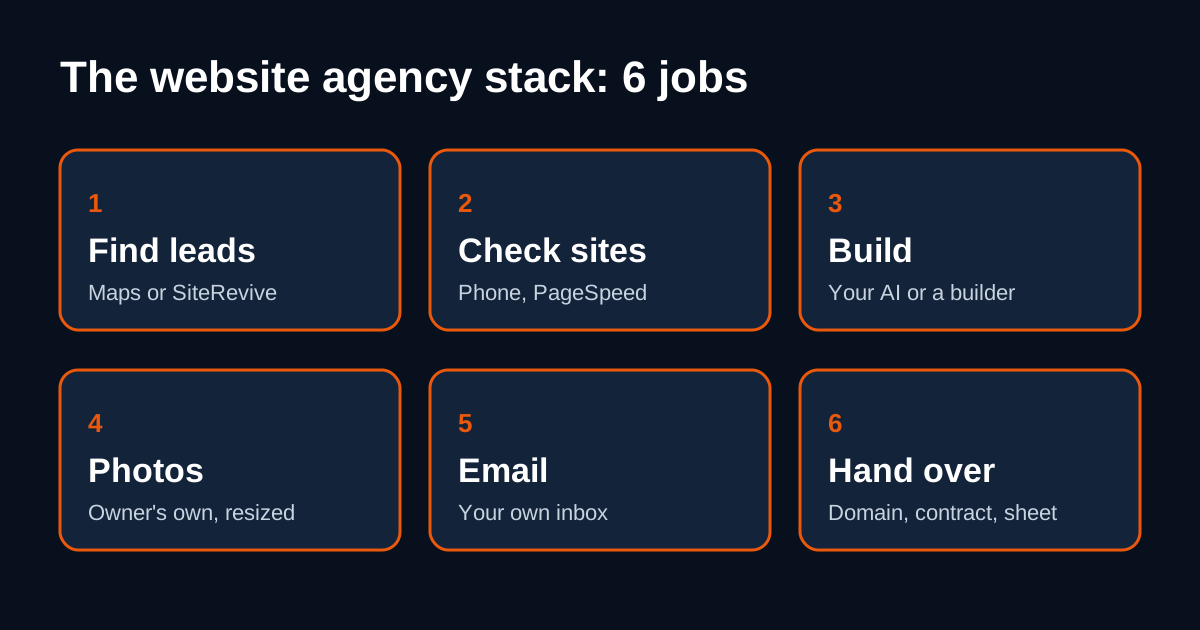
- Sort tools by job, not by brand. A one-person website agency has six jobs: find leads, check sites, build, photos, email, and hand over.
- The research tools are free: Google Maps, your browser, PageSpeed Insights, Squoosh and a spreadsheet.
- The paid parts that matter are an AI agent or site builder to build with, and your own email account to send from.
- Skip project-management apps, CRMs and paid design suites until you have clients asking for work.
On this page
The web design agency tools a one-person shop needs fit into six jobs: find leads, check their sites, build, handle photos, send email, and hand the site over. The research and checking tools are free. The parts worth paying for are the tool that builds the site and the email account you send from. Everything else can wait until a client asks for it.
I ran a marketing agency for 15 years. The mistake I saw most in new agencies was buying tools before they had work. This page lists what each job needs, what you can skip, and the tradeoffs. Tool prices change often, so I point you to each vendor's own pricing page rather than quoting numbers.
The stack at a glance
| Job | Free option | Paid option | Can you skip it at first? |
|---|---|---|---|
| Find leads | Google Maps, by hand | A lead tool such as SiteRevive | No, but you can do it by hand |
| Check sites | Your phone, browser, PageSpeed Insights | A lead tool that checks for you | No |
| Build | A free site builder plan, if it has one | An AI agent plan or a paid builder plan | No |
| Photos | The owner's photos, Squoosh | A photographer, later | No |
| A free email account | Google Workspace or another business email | No | |
| Hand over | A spreadsheet | Domain, hosting, e-signature, invoicing | Until a client says yes |
1. Find leads
You need a list of local businesses that have a weak website or none.
Google Maps, by hand (free)
Search a trade and a town. Open each listing. Note the name, the phone, the rating, and whether there is a Website button. It is slow, and it is the best way to learn what a good lead looks like. Our guide to finding businesses with no website on Google Maps walks through it.
Tradeoff: it is slow. In my experience, opening and checking twenty sites by hand takes most of an hour.
A lead tool (paid)
A lead tool does the searching and the first check for you. SiteRevive is ours. You pick a kind of business and a U.S. state, and it finds local businesses, checks each website, writes down the real problems, and keeps only emails it found on the business's own website. It never guesses an email address. It does not send email from its own servers.
Tradeoff: you pay monthly, and a search can return fewer businesses than you asked for, because it lists only the ones that pass its checks.
2. Check their sites
Before you pitch anyone, confirm the problem is real. These tools are free.
- Your phone. Open the site. Do you have to pinch and zoom? Can you tap the phone number?
- Your browser's address bar. A "Not secure" warning means no HTTPS.
- Google PageSpeed Insights. Paste the address. Google says it gives lab data from Lighthouse and field data from real Chrome users, for both mobile and desktop.
- Google's Rich Results Test. Google recommends starting with it to see which rich results a page can show. It tells you whether the business has any structured data at all.
Our 10-minute outdated website checklist turns these into a repeatable routine.
What to skip: paid SEO audit suites. They report hundreds of issues a local owner will never care about. You need two or three problems you can show on a phone.
3. Build
This is the job where paying makes sense. There are two routes.
An AI agent
An AI agent that can read web pages, write files and follow a long prompt can build a one-page site for a local business. Claude, Codex and ChatGPT are the common choices. We test with Claude. Each has paid plans, and what you can do depends on the plan, so read their pricing pages before you pick.
Tradeoffs:
- You get plain HTML files you own, with no builder lock-in.
- The AI needs clear rules. Without them it invents things, like reviews or services the business does not offer.
- You still check every page yourself.
Our comparison of ChatGPT, Claude and Codex for building client websites goes deeper.
A site builder
Site builders give you templates, hosting and an editor in one place. Many have paid plans for custom domains.
Tradeoffs:
- Easy for the owner to edit later.
- The site lives on the builder's platform. Moving it later is work.
- Templates can make every client look alike.
My opinion: for a first sample sent to an owner who has not asked for anything, an AI-built one-page site is faster to make and easier to throw away if they say no. For a client who wants to edit their own pages every week, a builder can be the better final home.
4. Photos
Use the business's own photos. Not AI images, not stock. Our article on real photos vs AI images explains why.
- Squoosh, from GoogleChromeLabs, is free. It resizes and compresses images, and its page says the work happens on your own device.
- Google Business Profile's photo tips say photos should be sharp, well lit and should "represent reality". Apply the same test to the website.
What to skip: paid stock photo subscriptions. A stock photo of a stranger does not help a local business.
5. Email
Send from your own email account, under your own name. A free email account works for a test. A business address on your own domain, through Google Workspace or another provider, looks more serious. Both are on the provider's pricing pages.
Whatever you use, follow the law. The FTC's CAN-SPAM guide says the law makes no exception for business-to-business email. Your emails need:
- Honest "From" and subject lines
- A clear way to opt out, honored within 10 business days
- A valid physical postal address
Read our guide on whether cold email is legal for web designers before your first send.
What to skip: bulk email tools at the start. They are built for volume. Your first emails should be few, personal and sent by hand.
6. Hand over, get paid, keep track
None of this is needed until someone says yes.
Domain and hosting
The client should own their domain. You help them set it up. Our guide to handing over a website to a client covers domain, hosting and the go-live steps. When the owner asks what hosting is, use this plain explanation of website hosting.
Contract and payment
A short written agreement protects both of you. It should say what you will build, the price, how many rounds of changes, and who owns what. See our website contract basics. For payment, an invoice from your payment provider is enough. You do not need accounting software for your first client.
A spreadsheet
One row per business. Columns: name, town, phone, email, the problem you found, the date you emailed, the date you followed up, the reply, and the next step. Google Sheets is free. This is your CRM until it stops being enough.
What you can skip at the start
| Tool | Why you can wait |
|---|---|
| CRM software | A spreadsheet works until you lose track of follow-ups |
| Project management apps | You have one or two jobs at a time |
| Paid design suites | AI-built pages and the owner's photos cover a first sample |
| Bulk email tools | Early emails should be personal and few |
| Paid SEO suites | Owners care about phone fit, speed and a working call button |
| Logo and brand kits | You are selling their brand, not yours |
Three starter stacks
These are examples of how the jobs can be covered. They are not a promise of any result.
| Stack | Find | Check | Build | |
|---|---|---|---|---|
| All by hand | Google Maps | Phone, PageSpeed Insights | A builder plan | Free email account |
| AI build | Google Maps | Phone, PageSpeed Insights | An AI agent plan | Business email on your domain |
| Lead tool plus AI | SiteRevive | Done by the tool, then you look | Your own AI | Your own email, Gmail, Google Workspace or another |
If you want the whole path from first lead to first client, start with how to start a website agency with AI.
SiteRevive covers the find and check jobs and writes the prompt your own AI uses to build each sample and draft the email. Plans start at $97 a month, with a 7-day money-back guarantee, no questions asked. See the SiteRevive plans.
How to choose
Ask three questions about any tool before you pay.
- Which of the six jobs does it do? If you cannot name one, skip it.
- Can you do that job by hand for your first ten businesses? If yes, do it by hand first. You will learn what to look for.
- Can you cancel easily? Prefer monthly plans while you are testing.
Buy the build tool and the email account first. Add the rest when real work makes you want it.
Before you send samples, read the rules that keep a free sample fair.
Questions people ask
What tools do I need to start a web design agency?
A way to find businesses (Google Maps or a lead tool), a browser and PageSpeed Insights to check their sites, an AI agent or site builder to build, an image resizer, your own email account, and a spreadsheet to track it all. Domains, hosting and contracts come when a client says yes.
Can I run a website agency with only free tools?
You can do the research and checking for free. Building usually needs a paid AI plan or a paid site builder plan, and the client's domain and hosting cost money too. Check each vendor's pricing page, because plans change often.
Which AI tool is best for building client websites?
Any AI agent that can read web pages, write files and follow a long prompt can build a simple local business site. We test with Claude. Our comparison of ChatGPT, Claude and Codex covers the tradeoffs.
Do I need a CRM for a small website agency?
Not at the start. A spreadsheet with one row per business, the problem you found, the date you emailed and the reply is enough until you are following up with more people than you can remember.
Sources
- About PageSpeed Insights (Google for Developers), read October 21, 2026.
- Intro to structured data and testing tools (Google Search Central), read October 21, 2026.
- Squoosh (GoogleChromeLabs), read October 21, 2026.
- CAN-SPAM Act: A Compliance Guide for Business (FTC), read October 21, 2026.
- Tips to manage photos on your Business Profile (Google Business Profile Help), read October 21, 2026.
Ryan Shaw
Ryan Shaw makes SiteRevive. He ran a marketing agency for 15 years and worked with 100+ agency clients. He has generated $100M+ in online sales, most of it through agency clients, and has helped 15,000+ marketers with software, courses and coaching.
Earnings disclaimer. SiteRevive and this article do not promise income, sales or replies. What you earn, if anything, depends on your work, your market and your offer. Results vary and some people earn nothing.