A Prompt to Build a Website With AI for a Local Business (Template)
 By Ryan Shaw. Published . 8 min read.
Key takeaways
- A good prompt to build a website with AI is mostly rules about what not to do. The page code is the easy part.
- Tell the AI to use only facts and photos from the business's own website, and to leave a gap empty rather than guess.
- Set hard limits: one file, a size cap, small photos with location data removed, tap-to-call phone links.
- End the prompt with a checklist the AI must pass, then check the page yourself on a phone.
On this page
A prompt to build a website with AI for a local business needs more rules than design ideas. Any modern AI can write a tidy one-page site. The trouble starts when it has nothing true to put on the page. Then it invents a review, an award or a price. The template below is built to stop that. It uses only facts and real photos from the business's own website, keeps the page small, and makes the AI check its own work before it stops. Copy it, change the first block, and paste it into the AI you use.
Why most website prompts fail
Search for website prompts and you will find lines like "build a modern, beautiful website for a bakery." That works for a demo. It fails for a real business, for four reasons we hit again and again while writing SiteRevive's own prompt.
| What goes wrong | Why it happens | The fix in the template |
|---|---|---|
| The AI invents reviews, awards or prices | The prompt asks for a "full" page with no facts to fill it | A missing fact means a missing section |
| Photos carry hidden GPS data | Photos are copied as they are | Re-save every photo as a small JPEG |
| The page is too heavy to load or publish | Big photos, many photos | A size cap and a photo cap |
| Nobody checked it on a phone | The prompt never asked | A checklist the AI must pass |
| The AI stops to ask you questions | The prompt has gaps it cannot resolve | A rule for each gap |
That last row is easy to miss. If you run the prompt for ten businesses and the AI stops on the second one to ask "should I continue?", you lose the hour you saved. A good prompt tells it what to do when something is missing.
The prompt template
Change the lines in block 1. Leave the rest as it is the first time you run it. Then adjust.
You are building a one-page sample website for a local business.
Work alone. Do not stop to ask me questions. If something is missing,
follow the rule for it below and keep going.

BLOCK 1. THE BUSINESS
Business name: [NAME]
Town and state: [TOWN, STATE]
Their current website: [URL]
Their Google Maps listing: [URL, or "none"]
What they do, in a few words: [TRADE]

BLOCK 2. THE FACTS
Open their current website and their Maps listing.
Write down only what you can see there: name, phone, address,
opening hours, services, service area, year founded.
Save each fact with the page it came from.
Never invent a review, quote, award, price, guarantee, license
number, team member or number of years.
If a fact is missing, leave that section out. Do not guess.
If two pages disagree, use their own website and note the conflict.

BLOCK 3. THE PHOTOS
Use only photos from their own website.
Never use stock photos or AI-generated images.
Pick at most 5 photos that show their real work, place or product.
Resize each one to 1200 pixels wide or less.
Re-save each one as a JPEG under 150 KB with all metadata removed,
including location data.
If you find fewer than 3 usable photos, build a design with no photos.

BLOCK 4. THE PAGE
One HTML file with the CSS inside it. No outside scripts.
Design for a phone first, then make it work at 1280 pixels wide.
Top of the page: the business name, what they do, the town, and a
button that calls their phone number with a tel: link.
Then: services, photos, hours, service area, how to reach them.
Every image gets alt text and a width and height.
Add <meta name="robots" content="noindex"> in the head.
Add one short line near the bottom that says this is a sample built
from the business's public website.
Keep the whole page, with photos, under 1 MB.

BLOCK 5. THE SELF-CHECK
Before you finish, check each line and fix anything that fails:
1. Every fact on the page is in your list from block 2.
2. No review, award, price or number you cannot point to.
3. The phone button dials the right number.
4. No sideways scrolling at 375 pixels wide.
5. Every photo came from their own site and has no location data.
6. The page is under 1 MB.
7. The noindex tag and the sample line are both there.
Write the result of each check in a file called check.txt.

BLOCK 6. THE EMAIL
Write a short email to the owner. Under 80 words.
Name one real problem you saw on their current site.
Say you made a sample and include a placeholder for the link.
No promises of more calls, customers or sales.
Save it as email.txt. Do not send it.
What each block does
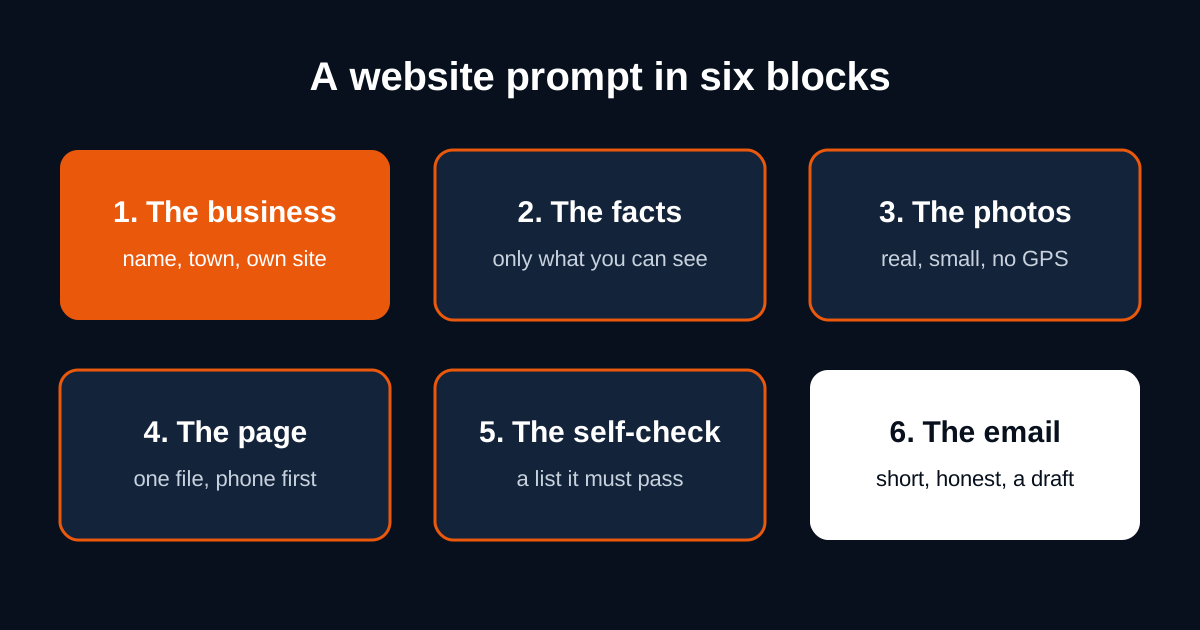
Block 1: the business
The AI needs a starting point it can verify. The business's own website is the best source. A Maps listing is the second. If the business has no website, put "none" and expect a thinner page. That is correct. A thin true page beats a full false one.
Block 2: the facts
This is the block that stops invented content. "Leave that section out" is the most useful sentence in the whole prompt. Without it, a model asked for a complete page fills gaps with plausible filler, like "family owned since 1998" or a five-star quote from "Mike R." Neither is true, and the owner will spot both. For a list of what a real homepage should hold, see what to include on a small business homepage. For facts you gather after a yes, use the client website content checklist.
Block 3: the photos
Two rules here came from real failures. First, photos taken on a phone often carry the location where they were taken. Re-saving as a fresh JPEG with metadata removed strips it. Second, big photos make a page too heavy. Our own prompt hit this: an early version allowed 8 photos at up to 400 KB each, which could push a page past the publishing size limit. The current version caps both. The numbers in the template are a safe starting point, not a standard.
Why real photos at all? An owner recognises their own dining room or their own truck. That is the moment the sample stops being a pitch and starts being their site. We explain the reasoning in real photos vs AI images on small business websites.
Block 4: the page
One file keeps the sample easy to share and easy to move later. The tel: link matters because people often look up a local business on a phone. In my opinion, a number they have to copy and paste is a call you may lose. The noindex tag tells search engines to skip the page, per Google's own documentation. A sample of someone else's business should not show up in search under your name.
Block 5: the self-check
"Check your work" is too vague. A model will reply "checked" and move on. A numbered list it must write results against is harder to skip. The check.txt file also gives you a record to read in ten seconds.
Block 6: the email
The email is short on purpose. One real problem, one sample, one link. No promises. If you want the full reasoning and examples, read the cold email that offers a finished website.
Which AI to paste it into
The template names no tool. It works best in an agent that can open web pages and save files on its own, such as Claude Code or Codex. Both read and edit files and run commands, per their own docs. In a plain chat window, you will need to paste in the facts and photos yourself, and save the HTML by hand.
We compared the options, including two real Codex runs on New Jersey businesses, in ChatGPT vs Claude vs Codex for building websites. If you work in Claude, our guide to building websites with Claude for clients walks through the setup.
Review the output before anyone sees it
The AI's own check is a first pass. Yours is the one that counts. Spend five minutes on each page.
| Check | How | Pass when |
|---|---|---|
| Facts | Open their site next to the sample | Every fact matches a page you can point to |
| Phone | Tap the call button on your phone | It dials the business |
| Phone layout | Open the sample on your phone | No pinching, no sideways scroll |
| Photos | Compare with their site | Every photo is theirs |
| Inventions | Search the page for numbers and quotes | Each one has a source |
| Sample label | Scroll to the bottom | It says this is a sample |
| Read it out loud | You would sign it with your own name |
If a page fails on facts, do not patch it by hand. Fix the prompt, run it again, and check again. The fix then helps every page after it.
Running it for more than one business
The same template works for a list. Repeat block 1 for each business and add one line at the top: "Build one folder per business. If one business fails, write why in check.txt and move to the next." That line is what keeps a long run going. In our second Codex run, 33 businesses went in one prompt. Thirty were finished and 3 were skipped, each with a reason.
Finding the businesses is the other part of the job. SiteRevive finds local U.S. businesses with old or missing websites, checks each site, keeps an email only if it is on the business's own site, and writes a prompt like this one for your AI. Your AI builds the sites and drafts the emails from your own email account. It does not promise replies or sales. See the plans on the pricing page. Plans start at $97 a month, with a 7-day money-back guarantee, no questions asked.
What to change after your first run
Read check.txt for every page. Then adjust one thing at a time.
- If pages look alike, add a line about the trade's style, such as "a diner: warm, simple, big photos of food."
- If the AI skipped too many photos, check whether the business's site blocks downloads. Some do. That is not a prompt problem.
- If emails sound stiff, paste one email you wrote yourself into block 6 as an example of tone.
- If the AI still invents a detail, quote the invented line back in block 2 as a thing it must never write.
A prompt is a living document. Ours changed many times. Yours will too.
To see the prompt run on a batch, read what Codex did on 33 businesses.
Questions people ask
What is the best prompt to build a website with AI?
One that names the business, limits the AI to facts it can see on the business's own site, sets file and photo limits, and ends with a checklist the AI must pass. The template on this page does all four. Paste it into any AI that can browse and write files.
Can I use this prompt in ChatGPT or Claude?
Yes. It is plain text and names no tool. It works best in an agent that can open web pages and save files, such as Claude Code or Codex. In a plain chat window you will need to paste the facts and photos in yourself.
Why does the AI make up reviews or awards?
Because the prompt asked for a full, rich page and gave it nothing to fill it with. Tell it that a missing fact means a missing section. Then check every claim on the page against the business's own site.
Should a sample site be public?
Keep it private until the owner says yes. Add a noindex tag so search engines skip it, mark it as a sample, and take it down if the owner asks.
Sources
- Block search indexing with noindex, Google Search Central, read October 21, 2026.
- Image SEO best practices, Google Search Central, read October 21, 2026.
- Claude Code overview, Anthropic docs, read October 21, 2026.
- Codex CLI, ChatGPT Learn, read October 21, 2026.
Ryan Shaw
Ryan Shaw makes SiteRevive. He ran a marketing agency for 15 years and worked with 100+ agency clients. He has generated $100M+ in online sales, most of it through agency clients, and has helped 15,000+ marketers with software, courses and coaching.
Earnings disclaimer. SiteRevive and this article do not promise income, sales or replies. What you earn, if anything, depends on your work, your market and your offer. Results vary and some people earn nothing.