9. Agree, build and keep a client
They said yes. The next days decide whether you get paid, whether they are happy, and whether they stay. None of it is hard. It only has to be written down.
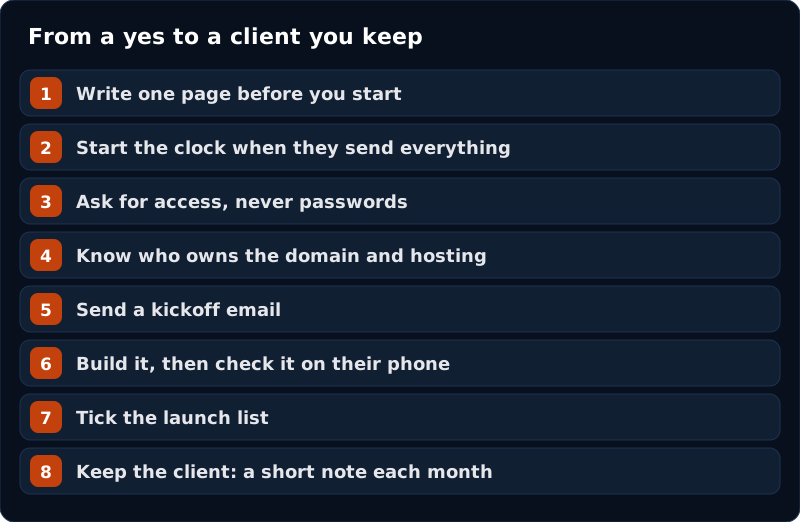
Step 1. Write one page before you start
A one-page agreement heads off many arguments before they start. Keep it short and plain. It should cover these things.
| Part | What to write |
|---|---|
| What you will build | The pages, by name. For example: home, services, about, contact, and one more. |
| What is not included | The things people ask for most. A logo. A shop with payments. More pages. Ads. |
| What you need from them | Photos, words about the business, the hours, and who approves. And by what date. |
| When it is done | “The site is live on your own domain and you have checked the list below.” |
| Changes | One round of changes, sent once, as one list. |
| Money | The price, and when it is due. Who pays for the domain and hosting. Pick one way to get paid, such as an invoice, and write it down. Agree all of this before you start work. |
| Who owns what | They own their domain, site and words. You keep your own tools and methods. |
| No promises | One line: you cannot promise results, rankings or customers. |
I am not a lawyer, and this is not legal advice. Before you use any agreement for real, write it from the table above, then pay a lawyer in your state to fix it, not only read it. It costs money, but it is cheaper than a fight. Then you can use it again and again.
The line “what is not included” does the most work. It is not there to refuse things. It lets you say, “That is a separate job. Here is what it would cost.”
Step 2. Start the clock when they send everything
A date is only fair if the owner has done their part. So say it in your first message: “The clock starts when I have the photos and the words.” An owner who sees the clock is theirs sends the photos faster. If the photos arrive three weeks late, you are not late.
Step 3. Ask for access, never passwords
- Ask to be added as a user or manager on their domain and hosting. You can be removed the day you finish.
- Never ask for a password in an email. If an owner insists, put it in a password manager. That is a safe app that stores logins, and lets you delete them the day you finish.
- On your last day, remove your own access.
- The owner should always hold the login to their own domain.
Step 4. Know who owns the domain and hosting
A domain is the web address, like sampleplumbing.com. Hosting is the place the site files live. Both are bought on the owner’s own account, with the owner’s card and the owner’s email. You get added as a helper.
- If the owner has no domain yet, sit with them while they buy it.
- Never buy either one for them, in your name.
- Write down who pays the yearly fees.
This guide does not teach hosting. Learn how your own tool publishes a site, and try it on a practice site first. Do not promise a go-live date before you have done that once.
Step 5. Send a kickoff email
One job: what happens next, and what you need by when. Change the names and send it.
Subject: Sample Plumbing: what happens next
Hi Dave,
Thanks for saying yes. Here is the plan.
By Friday I need three things: your photos, a few lines about what you do and where, and who gets to approve the site. The clock starts when I have all three.
I will also send a one-page agreement. Please read it and say yes before I start.
Once I have those, I build the site. You will see it on your own phone before anything goes live.
One rule I keep for every client: nothing goes live under your name until you have said yes.
Sam
No hype. Three things, a date, a rule.
Step 6. Build, then review it on their phone
- Build the site the way you did in chapter 6. Use only facts the owner gave you.
- Book a twenty-minute call. Ask the owner to open the site on their own phone. On your screen, everything looks fine. On their phone, they will see the button their thumb cannot reach.
- Go page by page. Ask them to say what they see out loud. Write one list.
- Read the list back. “That is the one round of changes. Anything after this is a new job, and I will tell you the price first.” A mistake of yours, like a wrong phone number, is not their round. Fix it for free.
- Make the changes. Send the site back.
Step 7. The launch list
Tick each one before you say it is done.
- The domain points at the new site.
- Every link works.
- The form sends to the owner’s inbox. You tested it.
- The phone number taps to call.
- The hours and address match their Google Business Profile.
- Every picture has a short text description.
- The owner said yes to the finished site, in writing, before it went live.
- The photos are the owner’s own, or you have the right to use them.
- Any notice the owner needs on the site (such as a privacy notice) came from the owner’s own lawyer, or from the form or booking tool they use. Never copy another business’s.
- It reads well on a phone, and loads quickly.
- The owner holds every login.
Then send a launch email. Say what is live. Say how to ask for a change. Say the date you will check in.
If the owner is a doctor, lawyer, financial adviser or anything with a licence number on the van, ask a lawyer in your state what has to appear on the site. Do not guess.
Step 8. Keep the client
A client can leave even when the work is good, if nobody has talked to them for months. Fix that with three small habits.
A care plan is a monthly service you sell and write into the agreement. For example: small edits, a check that the site is up, a check that the form works. If you do not sell one, the launch email and one check-in after thirty days are enough. Do not do monthly work for free, forever.
A short note every month
One page. What you checked. What changed. One thing you need from them. Send it on the same day each month. Put it in your calendar now, or it will not happen.
- “What you checked” means things like: the site loads, the form test works, the phone number taps, and any changes you made.
- Only put numbers you can point at on a screen.
- A zero is fine. Say why, in one sentence.
- Say what you will do next, not what it will achieve.
- Do not slip a sales pitch in. A plain, honest note earns the next conversation by itself.
A check-in after thirty days
Spend the first ten minutes on the site. Then ask one question, and stop talking:
Forget the website for a second. In the last month, what is the one thing about running the business that has been eating your week?
The answer tells you what to build or offer next. Chapter 10 shows how. No complaint? Say thanks and ask again in a month.
A short call every three months
Thirty minutes. What moved. What changed in the business. What is next. The one thing you need. Send five lines afterwards.
If they want to stop
- Do not argue. Do not cut your price on the spot.
- Ask: “Before we talk about stopping, can I ask what changed?” Then listen.
- It is usually money, or they cannot see the value, or something broke and they did not tell you.
- Offer something smaller than stopping, if it fits. Then let them choose.
- If they still want to stop, make it clean: what switches off, what they keep, the date, and the door is open.
When you should end it
- Two late payments, and no talk about it.
- They ask you to do something dishonest, like fake reviews. Explain once. A second ask ends it.
- They are abusive to you or to their own customers.
- The job keeps growing and the page you both signed does not stop it.
End it in writing, with a date about thirty days out. Hand over everything they own: domain, site files, logins, contacts. Hold nothing back. “This is not working for either of us, and I would rather end it well” is enough.
Starting before the money is agreed. Agree it first, in writing.
Saying yes to every change. One round, one list. After that it is a new job.
Skipping the monthly note. Silence is how clients drift away.
Holding someone’s domain or logins. It is theirs. Never use it as leverage.
Check yourself
- I have a one-page agreement, and a lawyer has read it.
- I know how I get paid, and when.
- I ask for access, not passwords.
- I review the site on the owner’s own phone.
- I have a monthly note in my calendar.