6. When an owner says yes
Some owners write back. Some tap a button on the report. Either one is a sign of interest. Now the work changes, because there is a real person on the other end.
How you find out
- They reply. The reply lands in your own inbox. SiteRevive does not read your email, so check it yourself, every day. Then tell the app: in Manage Leads, click Mark next to that business, then Replied.
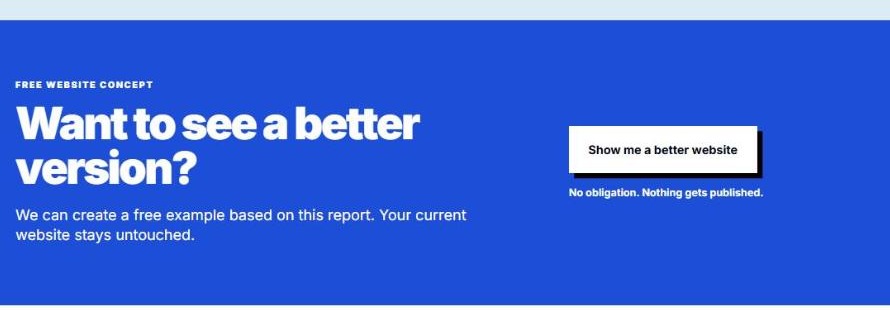
- They tap the button. The end of every report has a button, Show me a better website. When an owner taps it, SiteRevive records the request. It does not email you, so look at the business’s own page in the app. It says They requested a new website. A tap means someone opened the report and pressed the button. Treat it as a real request, then check with the owner before you spend a lot of time.
Once you mark a business Replied, its page says They replied with interest. Do not send that business any more cold emails. Answer them yourself.
Step 1. Answer the same day
A fast, plain answer says more than a long one. Here is the shape. This is a sample reply, with a made-up sender.
Hi, thanks for writing back. I would be glad to show you what a better version could look like. Give me a little time to put one together. Is this the right email to send it to?
Sam
- Say thanks. Say what happens next. Ask one question.
- Do not name a price. Do not promise a result.
- Did they ask a question? Answer that first.
- Did they say stop, or no? Say thanks. Mark it No thanks first, so SiteRevive keeps them out of your next prompt. Never write to them again.
Step 2. Build the sample website
SiteRevive builds nothing for cold businesses. Your own AI builds the sample site. It never changes the owner’s own website. It makes a new, separate one for them to look at.
You may already have one. If you used Copy prompt (chapter 7), your AI may have built a sample and put the link in your first email. If so, check it now, as in Step 3. If not, or if the owner asked for something better, build one now.
- On the left, click Manage Leads.
- Find the business. Click Mark, then Replied. Skip this if the owner tapped the report button instead.
- Click the business name to open its page.
- Tap More, then Next steps. You will see They replied with interest. or They requested a new website. and a button, Copy website build prompt. (This card only shows for a business that has a report.)
- Click Copy website build prompt.
- Open your own AI. Use one that can browse the web and write files. Claude is the one we test with. Paste the prompt in.
- Wait for it to build. Open the site it made.
A new sample website for that business, in your own AI. It is a first draft. You check it before anyone else sees it.
Step 3. Fix what is weak
An AI draft is never ready to send. Open it on your phone, then check each line.
- The business name, town and phone number are right. Tap the number. Does it call?
- The hours and the address match the owner’s own website.
- Every fact came from the owner’s own site or from the owner. Cut anything that did not.
- No made-up reviews, awards, years in business or photos of other people’s work.
- One clear next step on the first screen, like Call now or Book a time.
- It reads well on a phone. No tiny words. No sideways scrolling.
Something is wrong? Fix it in your AI. Ask for one change at a time, and look again after each one.
Step 4. Share it
- Ask your AI for a private preview link. Never put the sample on the owner’s real website or domain. If Settings shows Connect your AI, add that link to your AI first. Open the link yourself, on your phone.
- Reply in the same email thread, so the owner sees it. Say what you made, in two lines. Send the link.
- Say the sample is a draft. Say what they can change.
- Ask one question: “Would you like to talk about it for a few minutes?”
Polishing a site for someone who never answered. Do not spend your own hours on a business that has not said anything yet.
Sending a draft you did not read. One wrong phone number can end it.
Waiting two days to answer. Owners are busy. A quick answer helps.
Promising what the site will do. You can show what it looks like. You cannot say what it will bring.
Check yourself
- I answered the owner on the same day.
- I copied the website build prompt from the business’s page and built a draft in my own AI.
- I checked every fact against the owner’s own site.
- I opened the link on my phone before I sent it.
Next: how to keep track of it all, so nobody slips away.