How to Check if a Website Is Mobile Friendly in 2026
 By Ryan Shaw. Published . 6 min read.
Key takeaways
- Google retired its Mobile-Friendly Test and the Search Console Mobile Usability report in December 2023. Many guides still send you to them.
- The best check is still the simplest: open the site on a real phone and try to call, read the menu and tap a link.
- Chrome device view and PageSpeed Insights are free and catch what a quick look misses, like a missing viewport tag or a slow load.
- In our New Jersey data only 4 of 37 checked sites had a phone problem, so do not assume a site is bad on a phone before you look.
- Write down what you saw on the phone, not only a score. An owner can check a note like 'the phone number is not a button'.
On this page
To check if a website is mobile friendly, open it on a real phone and try the three things a customer would try: read the page, tap the phone number and find the hours. Then confirm with two free Google tools, Chrome's device view and PageSpeed Insights. The whole check takes about five minutes per site.
One thing has changed. Google shut down its Mobile-Friendly Test, the Mobile-Friendly Test API and the Search Console Mobile Usability report on December 1, 2023, as Search Engine Land reported. Google said other tools, such as Lighthouse in Chrome, cover the same ground. Many guides that rank for this question still tell you to paste your address into the old tool. That page no longer does the job.
This post is for people who check other people's websites: web designers, agency owners and anyone deciding whether a local business has a real phone problem. If you are looking at your own site, the same steps work.
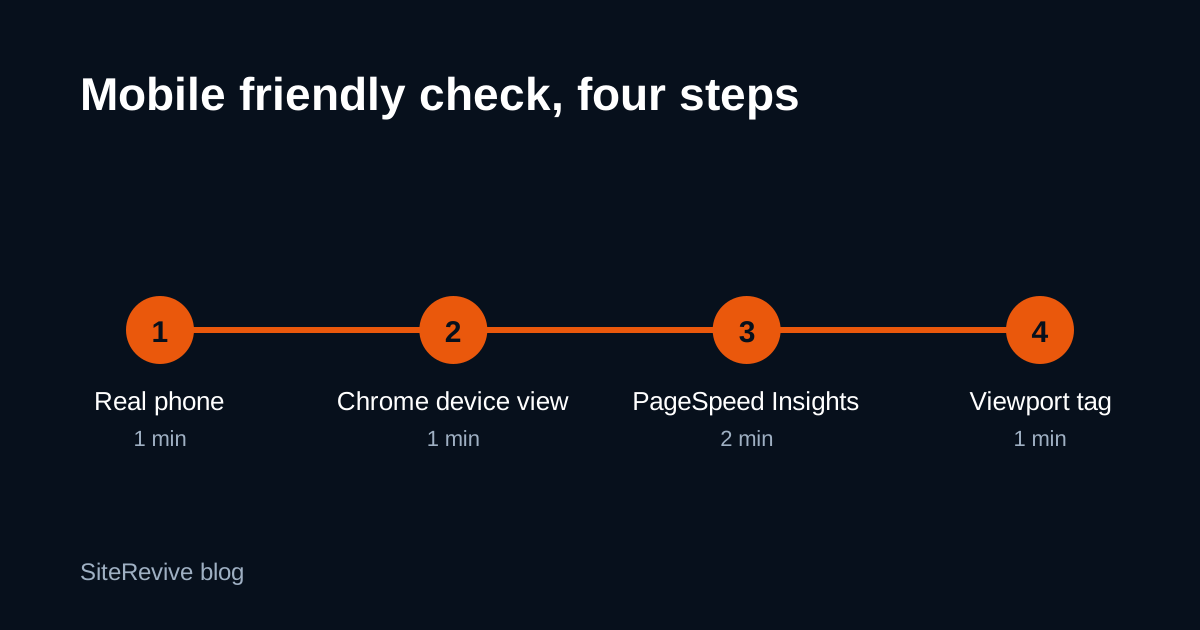
Step 1: Look at it on a real phone
Use your own phone. Do not zoom. Do not turn it sideways. Try these:
- Does the text fit the screen without pinching? Body text should be readable at arm's length.
- Is there sideways scrolling? Drag the page left and right. If it moves, something is too wide.
- Is the phone number a button? Tap it. A phone should offer to call.
- Can you find the hours and the address in two taps or fewer?
- Do the menu or the navigation links open and close?
- Are buttons far enough apart to tap without hitting the wrong one?
This takes a minute and it is the check that matches how customers behave. A site can pass every tool and still fail on step 3.
Here is an example from our own work. We built a sample site for a New Jersey restaurant from its public website (SiteRevive data, October 2026, name hidden). The old site opened on a phone. But the menu was two PDF links, and no phone number on the site was a tap-to-call link. A score tool would not call that a layout failure. A hungry customer would call it a reason to go somewhere else.
Step 2: Use Chrome's device view
You can preview a phone screen on a computer. In Chrome:
- Open the site.
- Press F12 to open Developer Tools.
- Click the device toolbar icon (a phone and tablet shape) at the top left of the tools panel.
- Pick a phone size from the menu at the top of the page, such as 375 pixels wide.
The page now draws at phone width. Scroll it, look for sideways movement, and click the links. Use this when you are checking many sites at a desk.
The limit: it is an imitation. Real phones have real thumbs, real glare and real slow connections. Use device view to sort, and use a real phone for any site you plan to write about.
Step 3: Run PageSpeed Insights
Go to PageSpeed Insights, paste the address and look at the Mobile tab. It runs Lighthouse, the tool Google pointed people to when it retired the old test.
Read three things:
- The load numbers. A page that takes many seconds to show anything on a phone loses people. The tool shows where the time goes.
- The accessibility and best practice notes. Look for tap targets that are too close and text that is too small.
- Any line about the viewport. See step 4.
Do not paste the score into an email as if it were a verdict. Scores move from run to run, and an owner will not know what 54 means. Write down what the tool found in plain words: "the first screen took a long time to show on a phone."
Step 4: Check the viewport tag
This is the quickest technical test, and it explains most pages that look like a tiny desktop site on a phone.
A mobile friendly page tells the phone to draw it at the phone's width. It does that with one line in the page head, a viewport tag. Chrome's Lighthouse docs say the audit fails when the tag is missing, has no content, or does not include a width, and that the usual fix is width=device-width, initial-scale=1 (Lighthouse documentation).
To look for it:
- Open the site in Chrome on a computer.
- Press Ctrl+U (Cmd+Option+U on a Mac) to view the page source.
- Press Ctrl+F and search for
viewport.
If nothing is found, many phones draw the page at a desktop width, often around 980 pixels, and shrink it to fit. That is the pinch-and-zoom experience owners complain about without knowing why.
What the results mean
| What you see | Likely meaning | What to write down |
|---|---|---|
| Tiny desktop page, needs pinching | No viewport tag, or a fixed-width layout | "On my phone the page showed as a small desktop page." |
| Sideways scrolling | One element wider than the screen | "I had to scroll sideways to read the menu." |
| Phone number is plain text | No tap-to-call link | "The phone number is not a button on a phone." |
| Menu is a PDF | Needs pinching to read | "The menu opens as a PDF that needs zooming." |
| Slow first screen in PageSpeed | Large images or heavy scripts | "The first screen took a long time to appear on a phone." |
| Everything passes | The site is fine on a phone | Look for other problems, or move on. |
Do not assume a bad phone experience
You might expect old websites to fail on phones. In our data they mostly did not. Of 37 fully checked New Jersey business sites, only 4 had a phone problem: 2 were hard to use on a phone and 2 were slow (SiteRevive data, October 2026, New Jersey). Most had been rebuilt on a template at some point, and the template fits a phone. What got old was the content inside it. Our full New Jersey breakdown has the other counts, and the limits: the 37 were chosen by ranking, not at random.
That matters if you sell websites. Opening your email with "your site is not mobile friendly" is wrong about most of the sites you will check. Look first. If the phone view is fine, find a real problem somewhere else with our 10-minute checklist for outdated websites.
Why it still matters
Google says it indexes and ranks sites using the mobile version of their content (Google Search Central). That is a ranking reason. The bigger reason is simpler. Someone searching for a business from their phone wants to call or find the hours. If they cannot do that in a few seconds, they try the next result.
How to use this on a list of businesses
If you are checking one site, the steps above are enough. If you are checking fifty, do this:
- Run the quick phone check on all of them and drop the ones that pass.
- Run PageSpeed Insights and the viewport check on the rest.
- Keep a one-line note for each site with what you saw.
- Write only to the ones with a problem a customer would notice.
For a faster first sort, the two-minute check for leads with bad websites shows how to skip the clearly fine ones. And if the owner has already hired you, the website audit checklist covers the full review.
SiteRevive does this sorting for you at scale. It checks each business website for things like a missing viewport setting and a very slow phone load, and writes down the problems it found. Plans start at $97 a month, with a 7-day money-back guarantee, no questions asked. Details are on the SiteRevive pricing page. You can do every step in this post by hand, for free.
Questions people ask
Is the Google Mobile-Friendly Test still available?
No. Google shut down the Mobile-Friendly Test tool, its API and the Search Console Mobile Usability report on December 1, 2023. Google pointed people to Lighthouse, which you can run in Chrome or through PageSpeed Insights.
What is the fastest way to check if a website is mobile friendly?
Open it on your own phone. In one minute you can see whether the text is readable, the menu works, the phone number is a tap-to-call link and nothing needs sideways scrolling.
Can Chrome on my computer show how a site looks on a phone?
Yes. Press F12 in Chrome, then click the device toolbar icon to pick a phone size. It is a good preview, but it is not a real phone. Check the sites that matter on a real device too.
Does a mobile friendly site rank better?
Google says it uses the mobile version of a page's content for indexing and ranking. A page that is hard to use on a phone can also lose visitors before they ever call. Google does not publish a pass or fail score for it.
Sources
- Google officially drops Mobile Usability report, Mobile-Friendly Test tool and API (Search Engine Land), read October 21, 2026.
- Does not have a viewport tag with width or initial-scale (Lighthouse, Chrome for Developers), read October 21, 2026.
- Mobile-first Indexing Best Practices (Google Search Central), read October 21, 2026.
- PageSpeed Insights (Google), read October 21, 2026.
Ryan Shaw
Ryan Shaw makes SiteRevive. He ran a marketing agency for 15 years and worked with 100+ agency clients. He has generated $100M+ in online sales, most of it through agency clients, and has helped 15,000+ marketers with software, courses and coaching.
Earnings disclaimer. SiteRevive and this article do not promise income, sales or replies. What you earn, if anything, depends on your work, your market and your offer. Results vary and some people earn nothing.